Origin Story and Key Features
The story behind gimkit is one of the most unique in modern edtech. In 2017, high school student Josh Feinsilber created the initial prototype as a school project in Seattle, Washington. Looking for a review tool that he and his classmates would actually want to play, he coded the platform during his homework time.
Originally named Gimlet, the platform was quickly renamed gimkit to avoid confusion with the classic cocktail. Because a business owner in Washington State had to be at least 18 years old, Josh initially co-owned the company with his father and co-founder Jeff Osborn. Officially incorporated in June 2018, the platform has grown to serve millions of students and educators worldwide. Despite its massive growth, the platform maintains a community-first approach, even running the GiveKit program, which donates $500 every month to educators.
At its core, Gimkit – live learning game show operates via standard web browsers across laptops, tablets, and smartphones. One of its greatest strengths is low friction: students do not need to create accounts to participate in live games. They simply enter a host code, type a display name, and jump straight into the action.
Question Customization and Kit Creation
Teachers build or curate learning content using question sets called “Kits.” Setting up a Kit takes only a few minutes, but offers deep customization options for different subjects and age groups:
- Multiple Choice & Text Input: Educators can create standard multiple-choice questions or require typed text inputs. Text input is particularly effective for spelling, math, and world language assessments because it eliminates wild guessing.
- Rich Media Support: Prompts can be customized with high-quality images (via Pexels or direct URLs) and custom audio recordings. Audio integration allows language teachers to run interpretive listening tests seamlessly.
- Importing Tools: Rather than typing every question from scratch, teachers can instantly import flashcards from external platforms, upload CSV spreadsheets, or pull questions from Gimkit’s vast Question Bank and public Discovery tab.
Student Collaboration with KitCollab
Instead of making review a one-sided teaching task, the platform features an innovative tool called KitCollab.
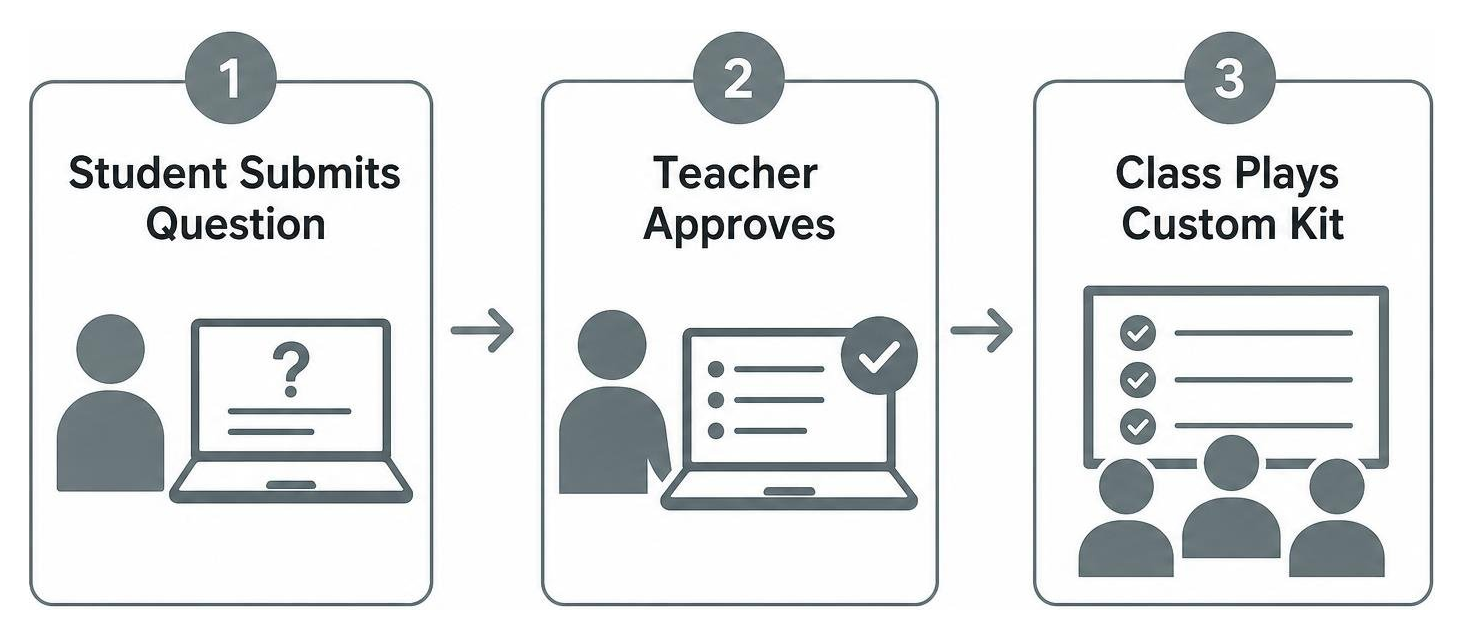
During a KitCollab session, students write and submit their own questions directly from their devices in real time. The teacher sees an incoming queue where they can accept, reject, or edit submissions with a single click. Once approved, the student-generated questions are immediately compiled into the live game set. This shifts students from passive players to active contributors, prompting peer-review and deeper critical thinking before the competition even begins.
How Gimkit Works: In-Game Economy and Strategy
What truly sets gimkit apart from traditional classroom drill tools is its built-in game economy.
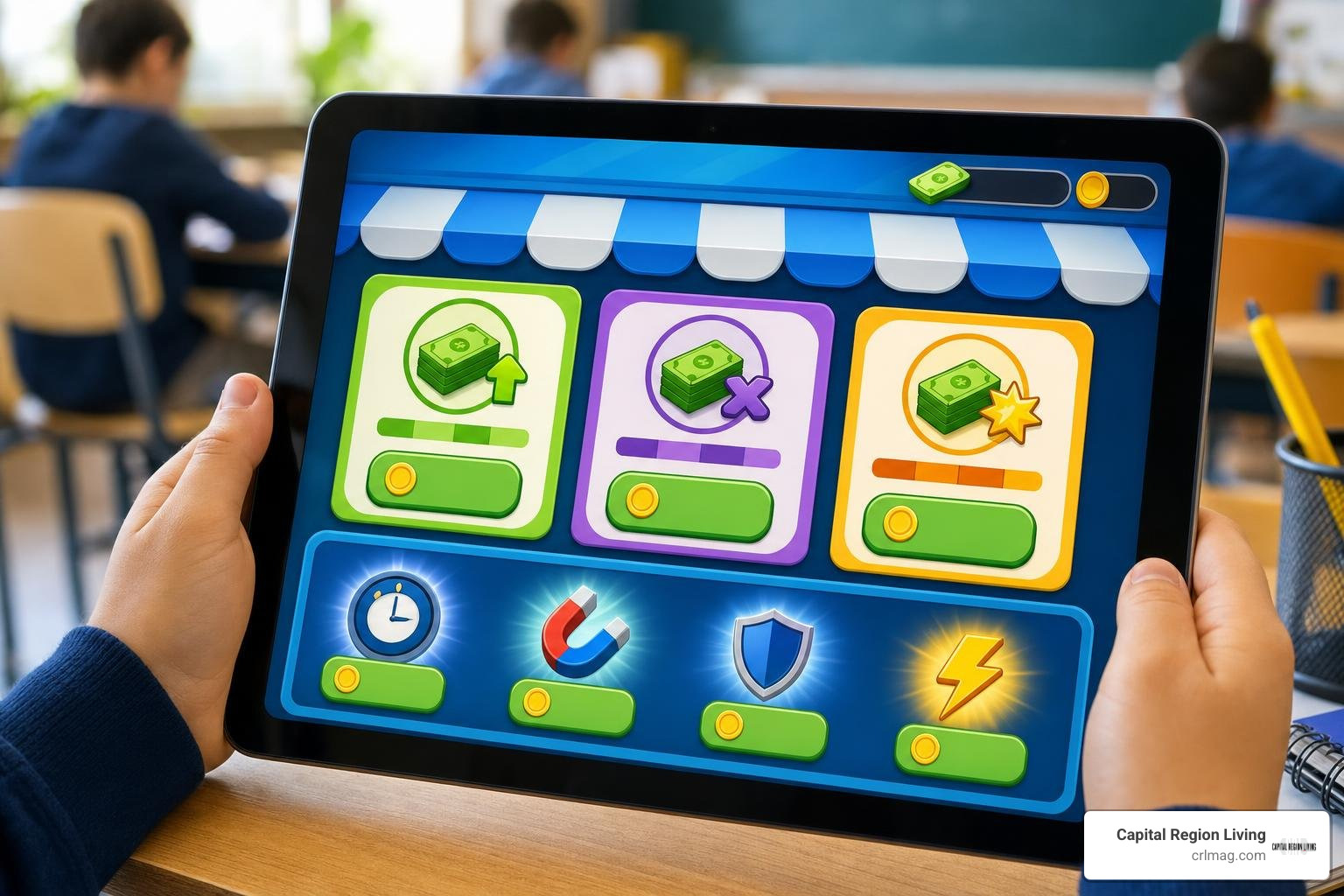
When students answer questions correctly, they do not just earn points—they earn virtual currency. If they answer incorrectly, they lose a portion of their cash. Students can open an in-game shop at any point during play to reinvest their earnings into game-changing upgrades:
- Money Per Question: Increases the baseline dollar amount earned for every correct answer.
- Multiplier: Multiplies overall earnings per correct answer exponentially.
- Streak Bonus: Rewards continuous correct answers with massive cash payouts.
- Insurance: Protects players from heavy financial penalties when they make a mistake.
- Power-Ups: Allows players to freeze opponents, launch cash-draining attacks, or boost teammates.
This mechanic transforms quiet memorization into a decision-making exercise. A student who strategic-minded might save cash early on to buy higher multipliers, dominating the leaderboard in the final minutes.
Because questions repeat continuously in a randomized order, students get multiple chances to fix mistakes. This repeated exposure reinforces long-term memory retention without feeling monotonous.
Beyond live classroom sessions, teachers can assign Kits as asynchronous homework. Homework assignments run on the same self-paced economy, giving students an engaging review tool at home while providing automated grading for educators. Detailed post-game analytics break down class accuracy averages and highlight specific questions where students struggled, making formative assessment effortless. For exhaustive coverage of mechanics, check out Gimkit – The Gimkit Wiki.
Classroom Gameplay Modes
The platform offers 27 distinct game modes to keep review sessions fresh. Rather than using the exact same leaderboard every time, teachers can choose from four main categories:
- Top-Down Modes: Action-oriented 2D modes where avatars navigate maps (e.g., Fishtopia, Super Rich Boys).
- Platformer Modes: Jump-and-run challenge modes where correct answers unlock movement progression.
- Fun Picks: High-concept party modes inspired by popular culture, such as Trust No One (based on social deduction games like Among Us) and The Floor is Lava (where the entire class must work together to build a safe structure before rising lava consumes them).
- Tycoon Twists: Strategic management modes focused heavily on compounding investment and base-building.
- Classic & Team Modes: Traditional race-to-the-cash leaderboards played individually or in collaborative groups.
Custom Sandbox Building in Gimkit Creative
For advanced engagement, gimkit Creative allows students and teachers to build their own 2D game maps inside a sandbox environment. Players use terrain brushes, environmental props, and customizable interactive devices (like triggers, teleporters, and health barriers) to program custom mini-games.
As students participate in regular games, they accumulate XP and a virtual currency called GimBucks (capped at 1,500 GimBucks and 15,000 XP per week for standard accounts). GimBucks are used in the item shop to unlock cosmetic items, character avatars (Gims), and map-publishing permissions.
Subscription Plans, Technical Setup, and Game Codes
Understanding account tiers is important for schools and home educators planning their tech budget.
Here is a side-by-side comparison of the available plans:
| Feature / Plan | Free Basic | Seasons Plan | Gimkit Pro | Department Plan | School Plan |
|---|---|---|---|---|---|
| Annual Price | $0 | Varies | $59.98 / yr ($9.99/mo) | $650 / yr | $1,000 / yr |
| Player Limit / Game | 5 Players | 15 Players | 60 Players | 60 Players / Teacher | 60 Players / Teacher |
| Hard Technical Cap | N/A | N/A | Up to 500 (with add-on) | Up to 500 | Up to 500 |
| Homework Assignments | Basic | Included | Unlimited | Unlimited | Unlimited |
| Mode Access | Limited | Featured Modes | All 27 Modes | All 27 Modes | All 27 Modes |
Joining Live Sessions with a Gimkit Code
To join a game, participants do not need a lengthy registration process. The host selects a Kit and mode, generating a unique 5-to-6 digit code, a printable QR code, or a direct join link formatted as gimkit.com/join?gc=(code).
Students frequently look for active public matches outside of school hours. Popular hubs for finding live hosts include the official Discord community (which boasts over 44,000 members) and dedicated subreddits.
Beware of third-party websites promising “permanent working codes” or “unlimited cash hacks.” Live game codes expire quickly after a host closes their session (typically within 30 to 60 minutes), so static codes found on search engine result pages are almost always fake. For a full breakdown on live entry, read Gimkit Codes to Join Right Now: Epic Live Games 2025.
Educational Benefits, Neurodiversity, and Considerations
From an instructional standpoint, edtech research and teacher feedback suggest that gamified review can boost test performance significantly, with some edtech reports showing up to a 30% improvement in student retention. By reframing quizzes as low-stakes gameplay, test anxiety drops dramatically.

The platform is particularly versatile for neurodivergent learners when configured thoughtfully:
- ADHD: Self-paced answering eliminates long wait times between questions, keeping fast-moving minds engaged. Short 5-to-10 minute bursts prevent burnout.
- Autism Spectrum: Predictable mechanics and clear cause-and-effect economy models provide a safe, structured review space.
- Dyslexia & Dysgraphia: Audio prompts remove reading bottlenecks, while multiple-choice text interfaces remove handwriting stress.
However, teachers should remain mindful of potential drawbacks. Fast-paced modes with flashing visuals and intense sound effects can lead to sensory overstimulation. High-competition modes like Humans vs. Zombies or cash-stealing mechanics can also create competitive stress for sensitive children.
To maintain a balanced learning environment, teachers can mute background music, run calm cooperative modes (The Floor is Lava), or host games in asynchronous Homework Mode.
Frequently Asked Questions about Gimkit
What makes this platform different from traditional drill-based review tools?
Unlike basic flashcard platforms where speed is the only factor, this platform incorporates strategic financial management. Students can win not just by answering fast, but by deciding when to invest in power-ups, multipliers, and insurance. Furthermore, questions repeat during a session, allowing students to learn from their mistakes and immediately apply corrections.
Do students need to create individual accounts to play?
No. Students can join any live game hosted by a teacher simply by navigating to the join URL on a browser and entering the 5-to-6 digit game code provided by the host. Accounts are only required if students want to save custom map creations in Creative mode or retain cosmetic purchases made with GimBucks across sessions.
How can teachers adapt gameplay for sensitive or neurodivergent students?
Teachers can switch from individual competitive modes to team-based or class-wide cooperative modes like The Floor is Lava. Additionally, hosts can turn off disruptive power-ups, disable player-versus-player cash stealing, or assign the Kit as self-paced homework so students can work without screen pressure or time constraints.
Conclusion
By merging deep game strategy with core curriculum review, gimkit turns routine practice into an exciting, high-engagement experience. Whether you are using KitCollab to build student-authored quizzes, hosting a cooperative class match, or assigning self-grading homework, the platform offers an adaptable toolkit for modern education.
We love sharing tools that inspire learning, creativity, and connection across our community. To discover more educational insights, local family activities, and regional culture throughout New York’s Capital District, Explore local Capital Region events and community resources with us today!