Find Printable Graph Paper for Any Project
Graph paper is paper printed with a regular grid of small squares, dots, or specialty lines that help with measuring, drawing, planning, and plotting. It is also called grid paper, coordinate paper, squared paper, or quad paper.
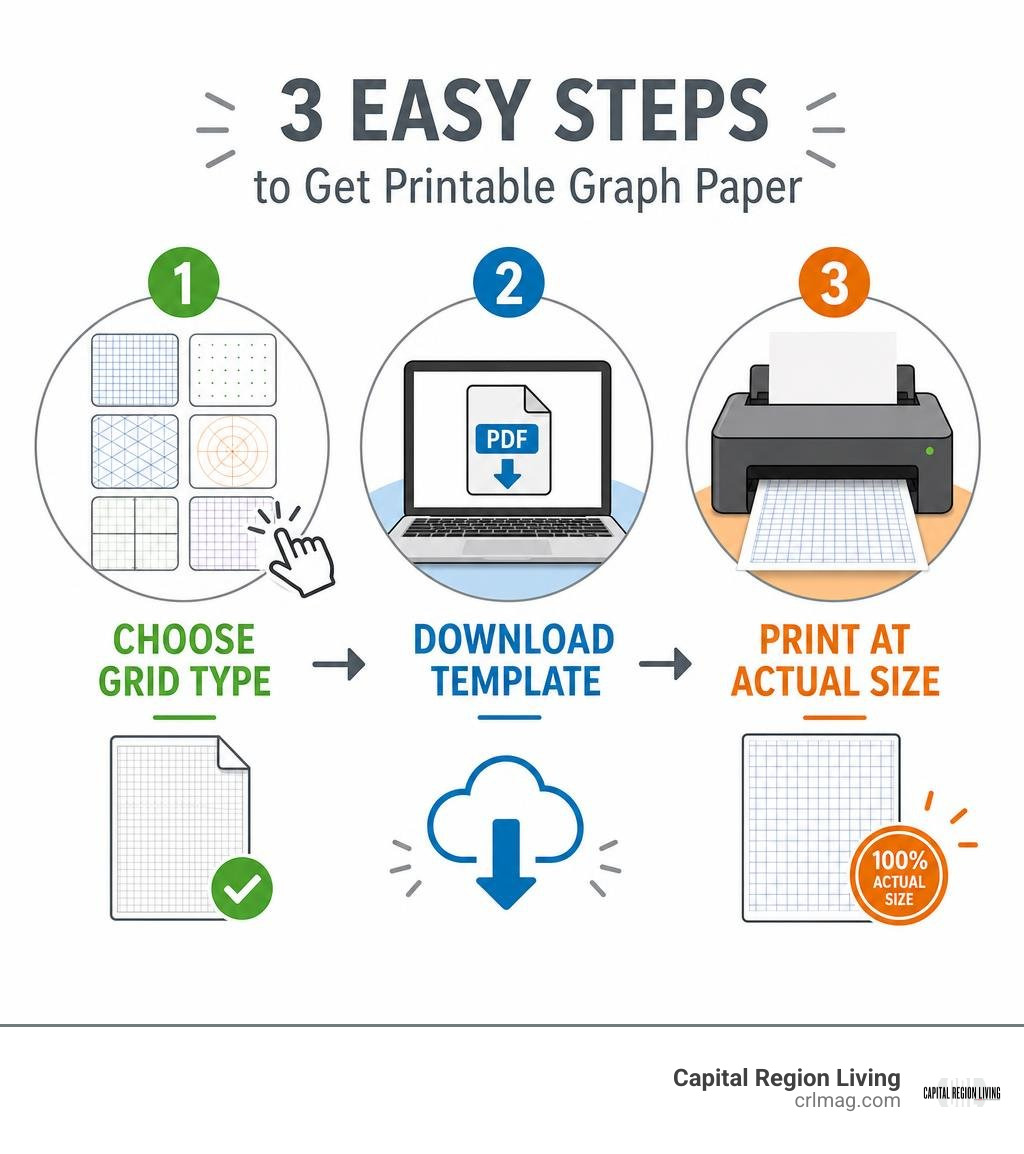
Whether you need a simple page for math homework, a room layout, a garden plan, or a creative project, the basic process is straightforward:
- Choose a grid style and square size that fits the task.
- Download or generate a printable template in the right paper size.
- Print at 100% or “Actual Size” so the grid stays accurate.
Printable options range from common 1/4-inch and 5 mm square grids to dot, isometric, polar, and logarithmic layouts. Most online generators let you set the page size, spacing, line color, margins, and orientation before downloading a crisp PDF.
This guide will help Capital Region residents find the right printable grid without wasting time sorting through mismatched templates or incorrectly scaled printouts.
Quick graph paper definitions:
Step 1: Select the Ideal Grid Size and Layout Format
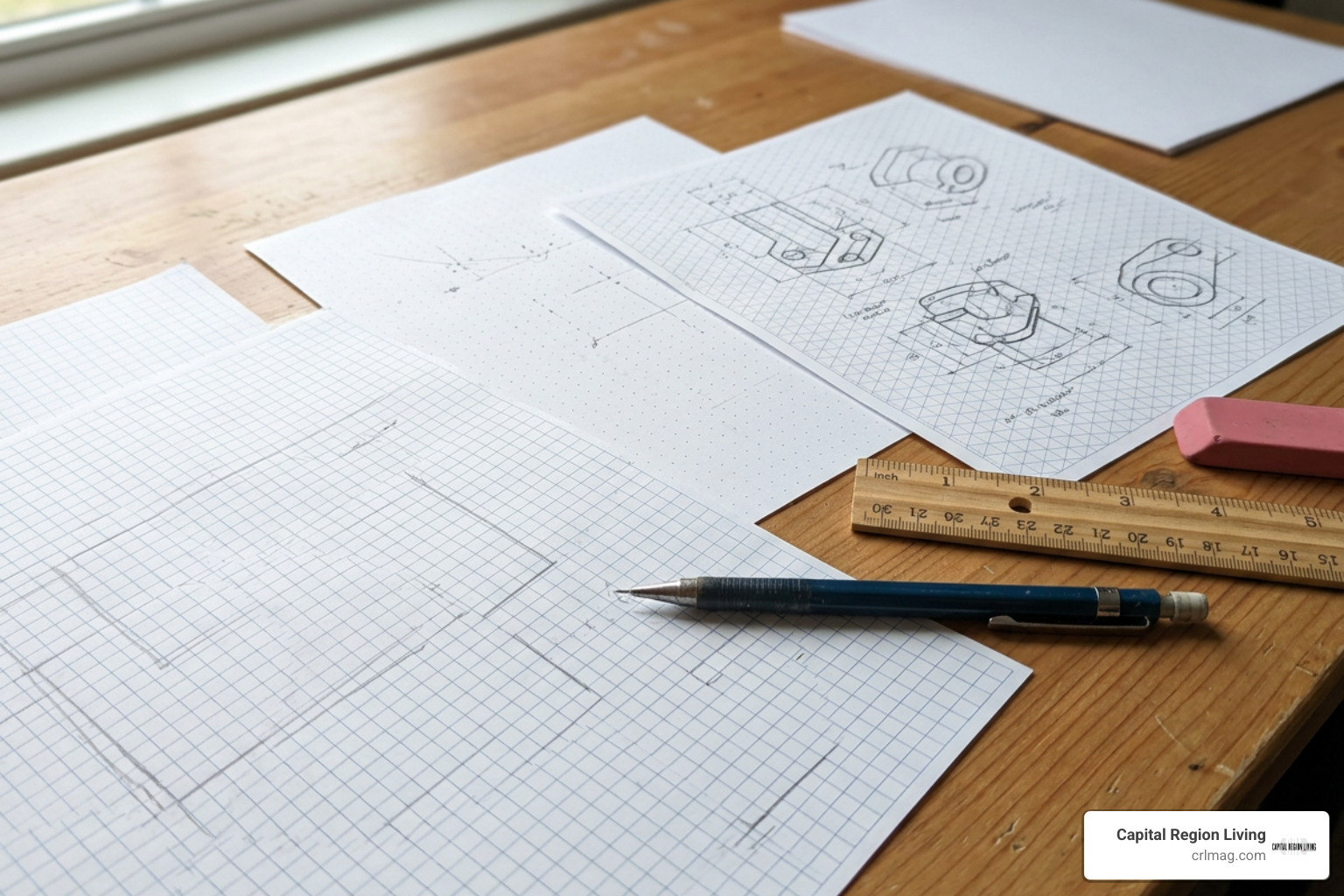
Choosing the correct grid format is the foundational first step of any technical, educational, or creative project. Because graph paper creates a standardized spatial reference frame, matching your grid style to your project goals ensures clean visual organization and effortless scaling calculations.
When we examine physical and digital options, we find several core grid formats:
- 1/4 Inch Quad Paper (4×4): The classic standard in North American classrooms and offices, featuring four squares per linear inch.
- 5mm Metric Grid Paper: The standard across Europe and scientific fields, featuring 5 mm by 5 mm square cells.
- 10 Squares Per Inch Paper (10×10): A ultra-fine imperial grid ideal for high-precision plotting, baseline data analysis, and engineering calculations.
- Dot Grid Paper: A minimalist alternative replacing solid lines with tiny intersection dots, providing unobtrusive guidance for bullet journaling and sketching.
- Engineering Paper: Printed on translucent stock or light green tint paper, featuring a primary grid printed on the reverse side so lines show faintly through the front but disappear on photocopies and scans.
- Isometric Grid Paper: Structured with 60° angled lines forming equilateral triangles, creating the perfect framework for three-dimensional drafting and 3D architectural views.
- Polar Coordinate Paper: Configured with concentric circular rings and radial angular divisions (such as 5°, 10°, or 15° rays) for plotting circular, orbital, or rotational functions.
- Logarithmic and Semi-Log Grids: Engineered with exponential spacing across decade cycles (1 to 6 cycles) to compress vast mathematical ranges and plot power-law relationships.
- Hexagonal Grid Paper: Structured with interlocking six-sided cells, popular for territorial mapping, tessellation designs, and organic geometric studies.

Choosing the Right Grid Dimensions for Academic and Technical Work
For technical drawings and academic problem sets, grid dimensions directly affect readability and calculation speed. Young children learning handwriting or multi-digit arithmetic benefit immensely from 1-inch or 1/2-inch grids, which provide ample room for developing motor skills and keeping numerical columns aligned. Meanwhile, high school and college algebra classes rely heavily on standard 1/4-inch (4×4) or 5mm metric grids for Cartesian plotting.
The table below provides a quick breakdown comparing standard grid formats, their exact dimensions, and their primary technical applications:
| Grid Type | Standard Dimensions | Common Ruling / Subdivisions | Primary Applications |
|---|---|---|---|
| Standard Quad (4×4) | 0.25 in (6.35 mm) | 4 squares per inch | Algebra homework, basic Cartesian plotting, general note-taking |
| Metric Grid (5mm) | 5 mm x 5 mm | 200 squares per sq. decimeter | Science lab reports, European geometry, multi-digit math alignment |
| Engineering Grid | 0.20 in or 0.10 in | 5×5 or 10×10 sub-increments | University problem sets, circuit diagrams, technical schematics |
| Isometric Grid | 30° grid angles | Equilateral triangular cells | 3D mechanical drafting, architectural sketches, pipeline mapping |
| Polar Grid | Concentric circles | 5° to 90° radial intervals | Navigation mapping, antenna radiation patterns, circular physics |
| Log-Log / Semi-Log | Non-linear logarithmic | 1 to 6 decade cycles | Exponential growth plotting, sound levels, earthquake magnitudes |
When handling advanced technical coursework or professional blueprints, engineering pads often feature non-reproducible blue or light green lines printed on heavy 50LB to 70LB acid-free paper stock. Choosing higher paper weight prevents fountain pen ink bleed-through, while non-reproducible blue grid lines ensure that scanned or photocopied documentation displays only your primary pencil or pen marks without background grid clutter.
Exploring Non-Traditional Grid Uses in Creative Projects
While graph paper is deeply rooted in science and mathematics, creative artists and hobbyists across the Capital Region have adopted grid paper for an array of non-traditional applications. The spatial consistency of a regular grid acts as a visual lattice, making it easier to convert freehand concepts into precise physical crafts.
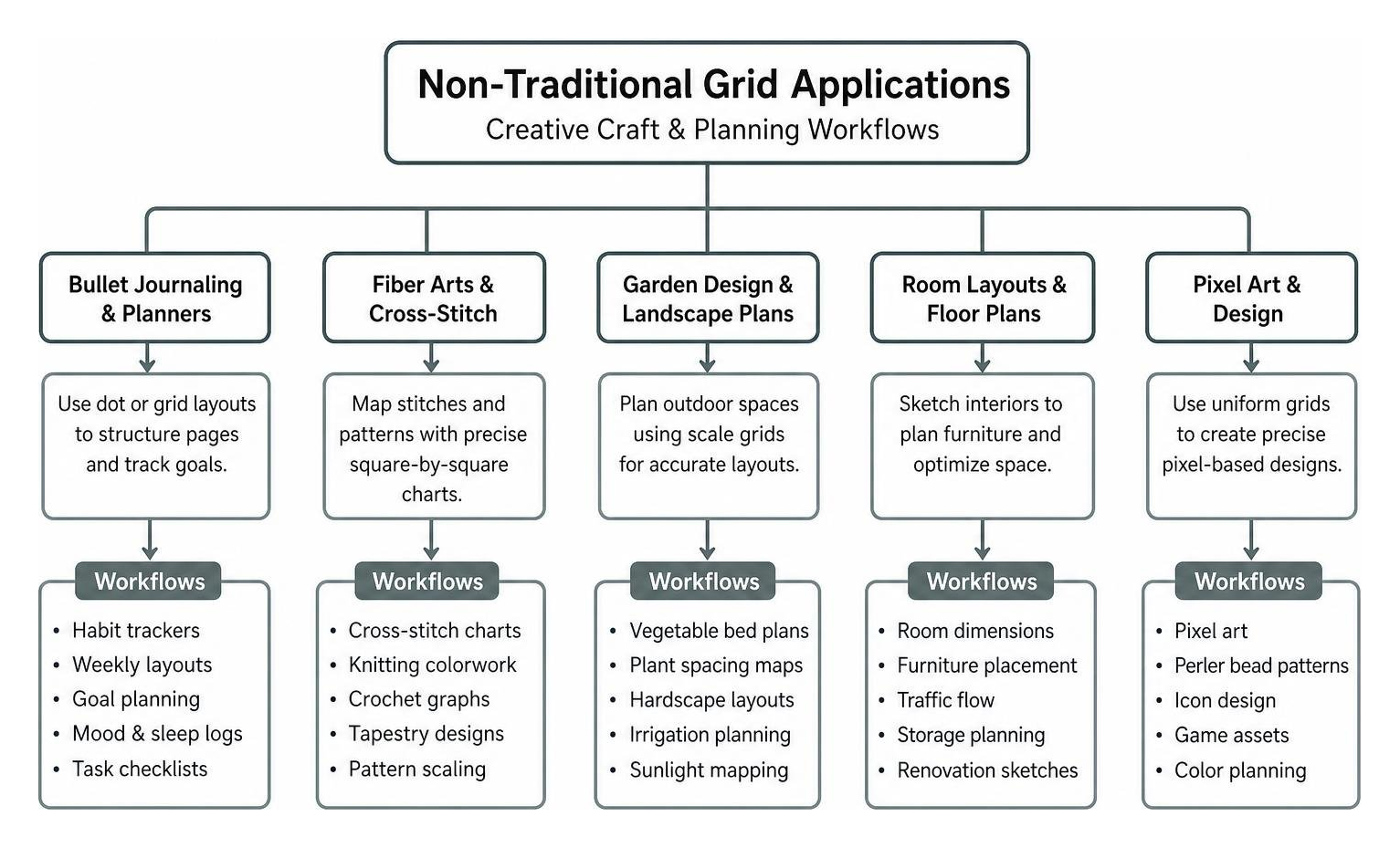
Here are some of the most popular creative uses for printable grids today:
- Bullet Journaling & Custom Planners: Dot grid paper has become the favorite layout format for custom planner layouts, habit trackers, and personal journals because dot markers guide straight lines without cluttering the page.
- Fiber Arts & Cross-Stitch Patterns: According to industry reports, the global fiber arts market exceeded $10 billion in 2025. Crafters use standard 10×10 cross-section or 4×4 quad grids to map out individual stitches for cross-stitch, tapestry crochet, and knitting colorwork.
- Garden Design & Room Floor Plans: Homeowners planning local backyard vegetable beds or interior room layouts assign fixed scale ratios (for example, 1 square = 1 square foot) to map out dimensions, furniture placement, and sunlight distribution accurately.
- Music Composition & Tab Charts: Music is naturally suited to a grid framework because musical pitch moves vertically up and down while time progresses horizontally left to right. Musicians frequently use customized grid paper to construct piano-roll compositions, guitar chord tabs, and drum rhythm grids.
- Grid Puzzles & Game Mapping: Tabletop RPG dungeon masters use hexagonal and square grids to draw tactical battle maps, while puzzle enthusiasts construct nonograms, picross grids, Sudoku templates, and intricate mazes.
Step 2: Generate Custom Templates Using Online Generators
Once you have identified the right grid format, the next step is generating a crisp, high-resolution template ready for printing or digital work. Rather than relying on static images that become pixelated when resized, modern web platforms generate true vector PDF files that retain mathematical precision at any print scale.

When selecting a digital resource, you can utilize the dedicated Custom PDF Graph Generator, which offers over 15 customizable paper formats and up to 800 million setting configurations. These platforms allow you to switch instantly between standard US Letter size (8.5 x 11 inches), Legal (8.5 x 14 inches), Ledger/Tabloid (11 x 17 inches), and global ISO formats such as A4, A3, and A5.
Additional top-tier printable generators include:
- Free Printable Graph Paper Generator | A4 & US Letter PDF for broad categories across science, geometry, and design.
- Free Graph Paper Generator – Custom Printable Grids for quick grid customization and direct SVG/PNG outputs.
- Graph Paper Generator · Print Grid Paper Free | Grid Paper Shop for specialized classroom templates, character practice squares, and quadrant axes.
Customizing Free Printable Graph Paper Options
The beauty of modern web-based graph generators is the sheer level of granular aesthetic control they offer. Instead of settling for dark, intrusive black lines that overpower your work, online tools let you calibrate line weight, color, and spacing to match your exact writing instruments.
Key customization options to adjust before printing include:
- Grid Line Weight & Color: Lowering line thickness to 0.5 points and choosing soft blue, light grey, or muted teal green ensures grid lines remain subtle visual guides rather than visual distractions.
- Major vs. Minor Line Accentuation: Setting major line intervals (such as highlighting every 5th or 10th grid square with a thicker rule or darker color) makes large-scale measuring and counting instantaneous.
- Axis Labels & Quadrant Centering: When preparing algebra or physics homework, you can toggle central X and Y coordinate axes, add directional arrows, and include numeric grid increments directly on the generated template using tools like the Free Online Plain Grid PDF generator.
- Margin Configuration & Orientation: Adjusting top, bottom, and side margins ensures the printable area accommodates standard 3-hole punching for loose-leaf binders without overlapping your drawn data. You can also toggle between portrait and landscape orientations to suit wide charts or tall mathematical derivations.
Web-Based Virtual Graph Paper Applications
In addition to physical printouts, interactive virtual graph paper web applications provide digital canvases directly inside your web browser. These applications combine tactile grid navigation with digital vector editing tools, making them ideal for virtual tutoring, remote project sketching, and rapid drafting without burning through physical paper stock.
Key features of virtual grid tools include:
- Coordinate Navigation: Live X and Y coordinate displays update dynamically as you drag your cursor across the virtual canvas, facilitating precise geometric placement.
- Vector & Raster Export Options: Sketches can be downloaded immediately as high-resolution PNG images for documents or scalable vector SVG files for professional design software.
- Temporary URL Link Sharing: Virtual grid applications generate unique drawing share URLs valid for up to 90 days. This allows users to share collaborative visual concepts or retain independent digital working copies without requiring mandatory user account registration.
Step 3: Configure Settings to Print True-to-Scale Graph Paper
The final step in acquiring perfect graph paper is making sure your physical printer outputs the digital template to its exact mathematical scale. A common frustration occurs when a sheet designed with a 5 mm or 0.25-inch grid prints slightly smaller or larger than expected, throwing off physical measurements.
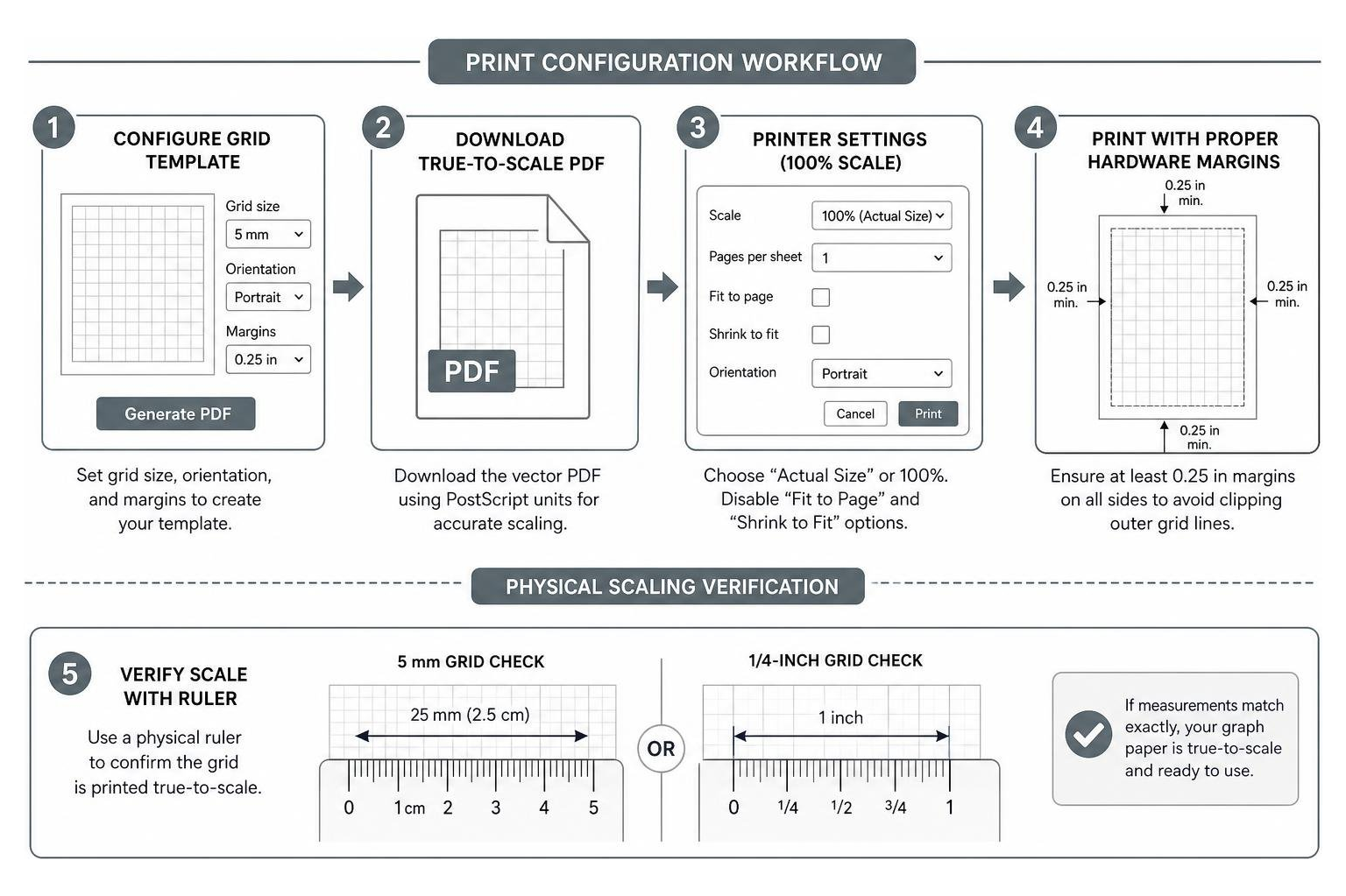
This measurement drift happens because web browsers and PDF reader software often default to automatic page-fitting algorithms. To guarantee true-to-scale grid accuracy, follow these essential printer setup rules:
- Set Scale to 100% or “Actual Size”: Always open printer dialog settings and explicitly select “Actual Size” or set custom scaling to exactly “100%”. Disable options like “Fit to Page,” “Shrink to Fit,” or “Scale to Fit Printable Area,” which automatically shrink documents by 4% to 5% to accommodate hardware margins.
- Account for Hardware Unprintable Margins: Standard desktop printers feature physical hardware print limits (typically 4 mm to 6.35 mm / 0.25 inches around the page perimeter) where ink nozzles cannot reach. Ensure your online generator settings include margins of at least 0.25 inches so outer grid lines do not get clipped off.
- Understand Vector PDF PostScript Units: Professional PDF generators encode page geometry using PostScript points, where 1 point equals exactly 1/72 of an inch (unlike CSS pixels, which render at 1/96 of an inch). Choosing vector PDF downloads from a verified True-to-Scale Grid Generator ensures the underlying geometry translates perfectly to paper.
- Perform a Physical Ruler Check: Once your page prints, verify its scale by placing a physical ruler against the printed page. On a standard 5 mm metric grid, exactly 5 grid cells should measure precisely 25 mm (2.5 cm). On a 1/4-inch quad sheet, 4 grid squares must measure exactly 1 inch.
Frequently Asked Questions
What is the history and early origin of graph paper?
The visual usage of coordinate grids dates back centuries to artistic block-picture pattern books, such as a 1596 woodblock grid publication preserved by The Metropolitan Museum of Art. However, the first commercial patent for coordinate paper was granted to Dr. Buxton in England in 1794.
Throughout the 19th century, squared paper gained steady adoption in scientific studies and engineering drafting. Around the turn of the 20th century, prominent educators such as E.H. Moore of the University of Chicago strongly advocated for integrating squared paper directly into high school mathematics curricula. Over time, terminology evolved across academic textbooks from “squared paper” and “coordinate paper” into the ubiquitous term graph paper used globally today.
How does engineering paper differ from standard quad paper?
While standard quad paper is typically printed on opaque white paper with solid 4×4 or 5×5 grid lines on both sides, traditional engineering paper features several key structural differences:
- Translucent Paper Stock: Engineering computation pads use lightweight, translucent green-tinted or pale paper.
- Back-Printed Grid Lines: The grid layout (typically 5×5 squares per inch) is printed exclusively on the back of each sheet.
- Faint Front Visibility: Grid lines show faintly through to the unprinted front side, guiding your handwriting and technical drawings without interfering with your work.
- Invisible Photocopier Reproduction: Because the grid lines reside on the reverse side of translucent stock, they drop out entirely when photocopied or scanned, producing a crisp, pristine digital image containing only your handwritten notes and diagrams.
Why do printed grid lines sometimes shrink or distort on paper?
Printed grid distortion is almost always caused by software auto-scaling or unit conversion conflicts:
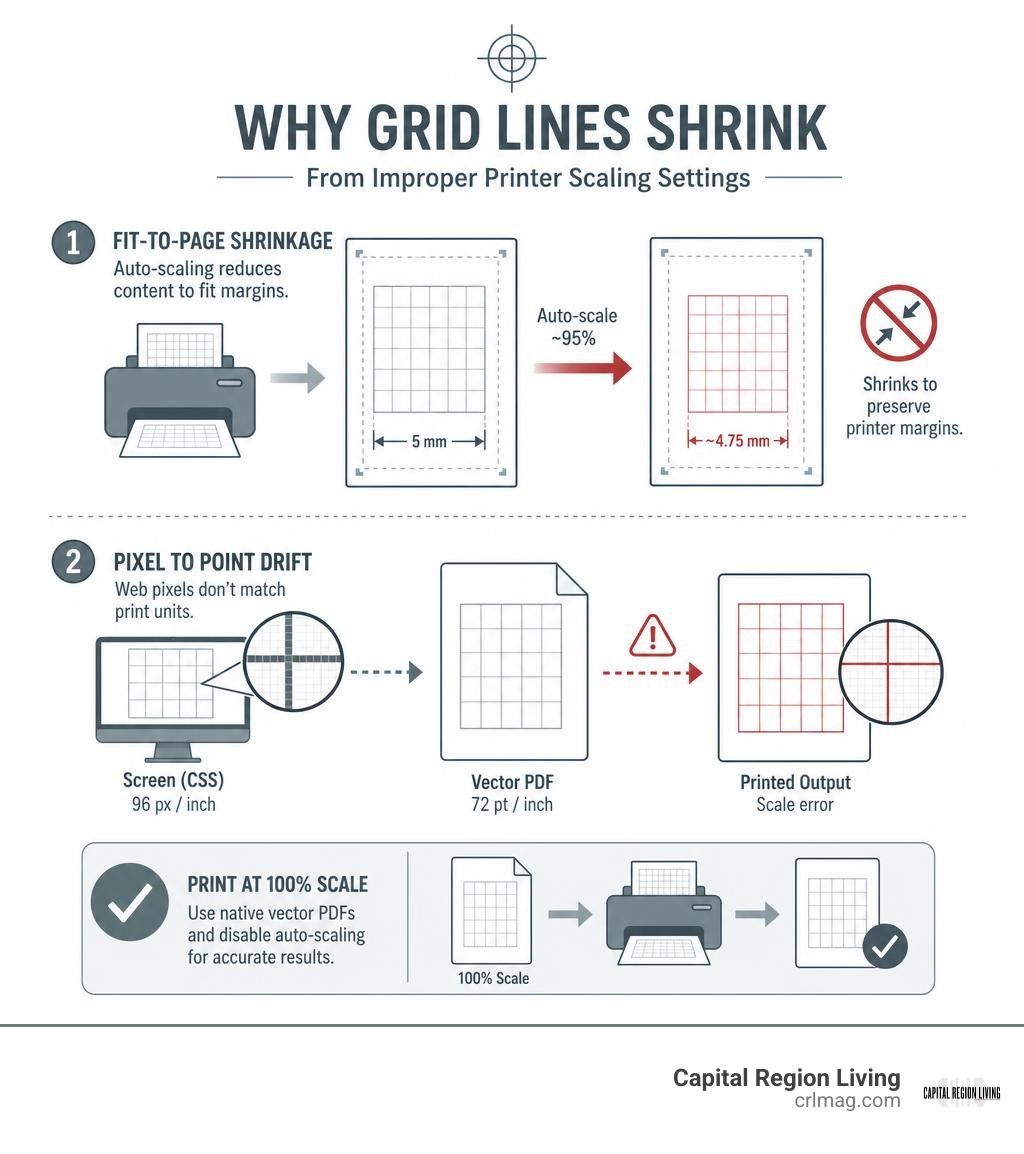
- Fit-to-Page Shrinkage: Printer drivers often detect that document content approaches the paper edge and scale the file down to ~95% to preserve hardware borders, causing a 5 mm square to shrink to ~4.75 mm.
- CSS Pixel vs. PostScript Point Drift: Simple web browser image prints render using CSS pixels (96 px/inch) rather than native PostScript units (72 pt/inch). Converting between these display standards without proper PDF vector rendering introduces a ~33% cumulative measurement error. Always export and print directly from native vector PDF files set to 100% scale.
Conclusion
Finding and printing the perfect graph paper layout does not need to be complicated. By selecting the right grid style for your specific task, customizing your line weights and colors through free vector generators, and verifying that your printer is calibrated to 100% actual size, you can produce professional, true-to-scale grid sheets right from your home or office.
Whether you are a local student working through advanced calculus, an artisan mapping out fiber craft patterns, or a homeowner drafting home improvement floor plans across the region, having access to accurate grid paper helps bring structural clarity to any creative vision.
For more community resources, home project guides, and local highlights across New York’s Capital Region, explore Capital Region Living and stay connected with our latest print and digital features!